Tour Requests: What Owners Should Know
How tour scheduling works and what to do when a renter requests one.
How Tour Requests Work
Renters can request a tour directly from your listing page. Here's how the process works from both sides.
What the Renter Sees
On your listing page, renters see a tour scheduling form where they can:
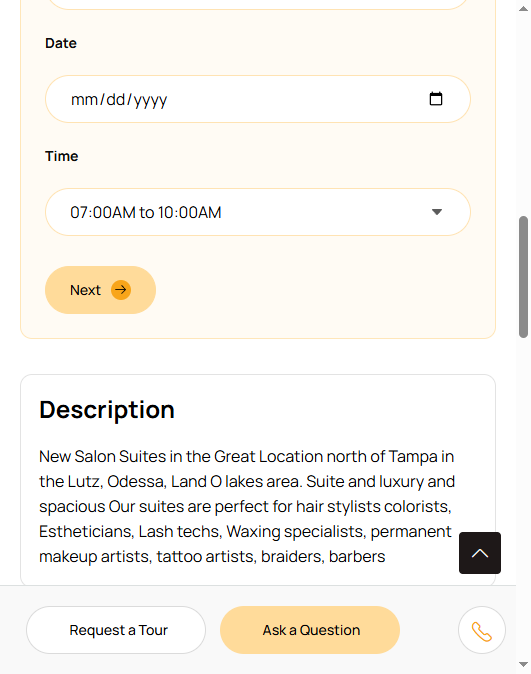
- Choose between In Person or Video Chat tour
- Select a preferred date and time
- Enter their name, email, and phone number
- Add a message with questions or details
What Happens After They Submit
You'll receive a notification (via email and in your My Leads dashboard) with the renter's tour request details. This includes their preferred date/time, contact info, and any message they included.
How to Follow Up
Respond quickly. Even if the requested time doesn't work for you, reply promptly and suggest alternatives. A fast response shows you're professional and serious.
Confirm the details. Reply with the confirmed date, time, and meeting location. If it's a video chat, send the meeting link.
Prepare the space. Make sure the rental space is clean, well-lit, and presentable for the tour. First impressions matter a lot.
In Person vs. Video Chat
In Person tours are ideal. There's no substitute for seeing the space, meeting the owner, and getting a feel for the environment.
Video Chat tours are great for renters who are relocating from another area or want a quick look before committing to an in-person visit. Use FaceTime, Zoom, or whatever platform works for both of you.
After the Tour
Follow up within 24 hours. Thank them for visiting, answer any additional questions, and let them know you're available if they want to move forward.