Understanding Listing Statuses (Published, Draft, On Hold, Expired)
What each listing status means and what to do about it.
Listing Statuses Explained
When you look at your listings in the My Listings dashboard, each one has a status badge. Here's what each one means.
Published (Live)
Your listing is active and visible to renters in search results. Everything is working as expected. You have an active marketing package associated with this listing.
Draft
Your listing has been created and saved but is not visible to anyone. This is the default status when you first create a listing. To make it live, you need to purchase a marketing package at salonrenter.com/pricing-cl/.
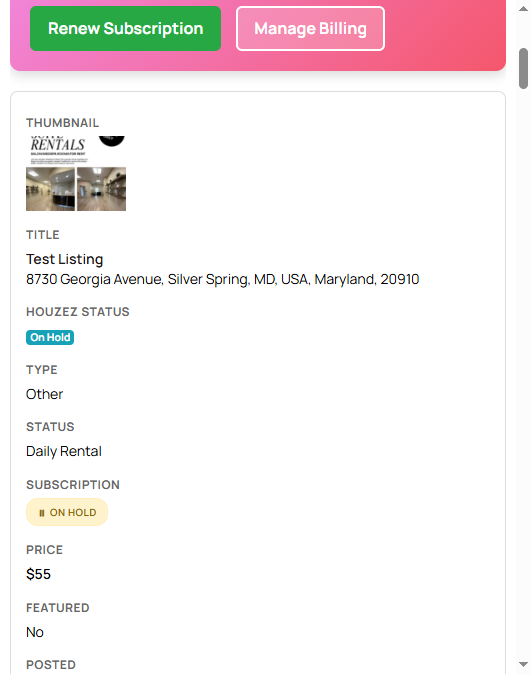
On Hold
You (or the system) have temporarily paused this listing. It's not visible in search results, but all your content, photos, and details are preserved. You can reactivate it anytime from your dashboard.
This is useful when all your spaces are rented but you may have openings in the future.
Expired
Your marketing package subscription has ended. The listing is no longer visible in search results. Your content is still saved. To make it live again, renew your subscription from the My Listings page.
You'll see a pink banner at the top of My Listings when a subscription has expired.
Disapproved
Your listing was flagged by our system or reviewed and found to not meet our guidelines. Common reasons include missing required information, inappropriate content, or duplicate listings. Check the notes on your listing for specifics, or email help@salonrenter.com and we'll explain what needs to be fixed.