What is 'Salon Renter Inc' on My Bank Statement?
Explaining Stripe receipts and how to download invoices from your account.
Understanding Your Charges
If you see a charge from "Salon Renter Inc" on your bank or credit card statement, that's us. All payments on Salon Renter are processed through Stripe, a secure third-party payment processor.
How Charges Appear
The charge will typically show as:
- SALON RENTER INC or SALONRENTER.COM
- The amount will match your marketing package price
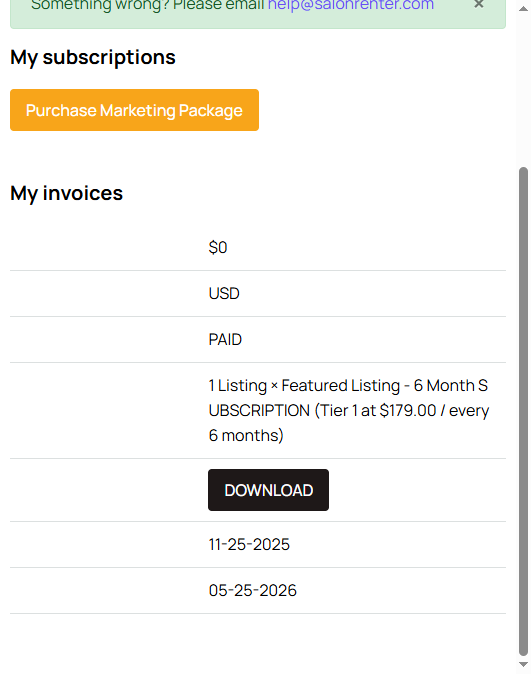
If you don't recognize a charge, check your My Billing page first to see your subscription history and invoice details.
How to Download Invoices
- Log in at salonrenter.com
- Click your profile and select My Billing (or go to salonrenter.com/invoices/)
- You'll see a list of your invoices with dates, amounts, and statuses
- Click on any invoice to view or download it
Need a Receipt for Tax Purposes?
Your invoices from the My Billing page serve as receipts. Each one includes the date, amount, description, and payment status. If you need anything additional for your records, email help@salonrenter.com.
Don't Recognize a Charge?
If you see a charge you don't recognize and can't find a matching invoice in My Billing, reach out to us at help@salonrenter.com. We'll look into it right away.