What Happens When My Subscription Expires?
Your listing goes offline but isn't deleted. Here's how to get it back.
When Your Subscription Expires
If your marketing package subscription runs out (either because it wasn't renewed or you cancelled), here's what happens.
Your Listing Goes Offline
Your listing status changes to Expired or On Hold. It's no longer visible in search results, and renters can't find it on the site.
Your listing is not deleted. All your photos, description, pricing, and details are still saved. Nothing is lost.
The Pink Banner
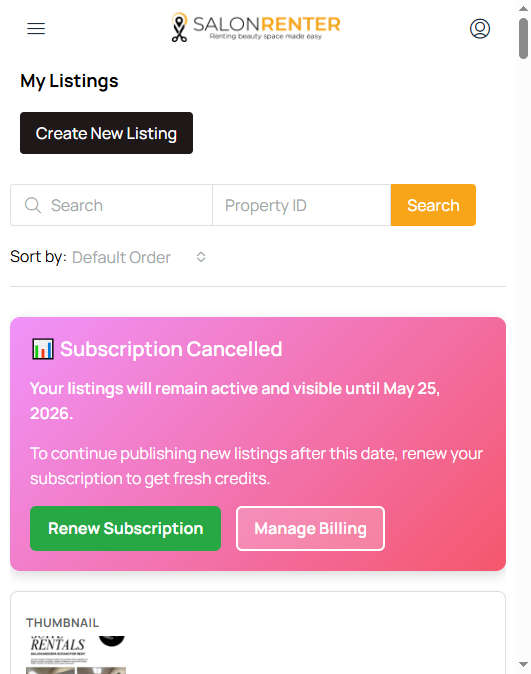
When you log in and visit My Listings, you'll see a pink banner indicating that your subscription has expired and your listing is no longer live.
How to Renew
- Go to My Listings
- Click Renew Subscription or Choose Plan on the expired listing
- Select your marketing package
- Complete checkout through Stripe
- Your listing goes live again immediately
All your original content stays intact. You don't need to re-enter anything.
Preventing Expiration
Subscriptions auto-renew by default. If your subscription expired unexpectedly, it's possible your payment method on file was declined. Check your payment details in My Billing or contact us at help@salonrenter.com and we'll help sort it out.