Pause a Listing or Change the Space Type
Put a listing on hold without deleting it, or change booth, suite, chair, or room.
Last updated October 24, 2026
Pause (On Hold)
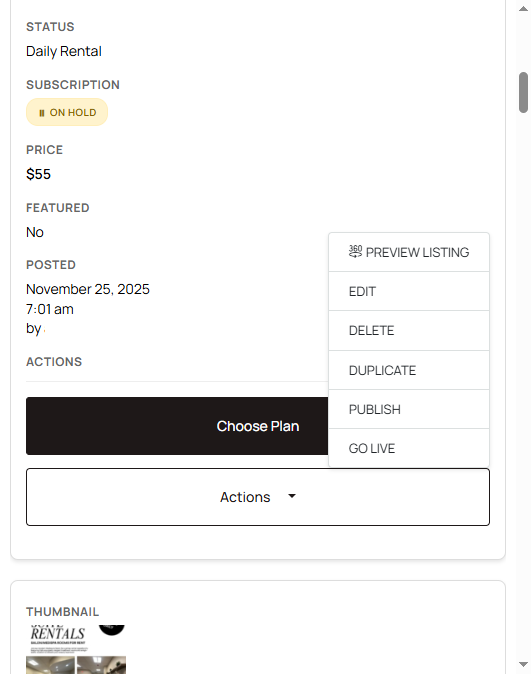
Use On Hold when the space is full and you may list it again later. The listing leaves search. Photos and text stay saved.
- Open My Listings.
- Find the listing.
- Choose Put on Hold (or the hold action in the Actions menu).
- To show it again, open the listing and publish or go live once a plan is active.
Putting a listing on hold, or deleting it, does not cancel the subscription. Listing status and billing are not linked. If you are done with Salon Renter, cancel from My Billing. See How to cancel your subscription.
Change the space type
Space type is booth, suite, chair, room, or full salon. Establishment type is the kind of business (hair, nails, lash, and similar).
- Open My Listings and click Edit.
- Change space type or establishment type.
- Save.
Renters filter on these fields. A suite marked as a chair will miss people who filter for suites. Who you want to attract is a separate profile field: Who you will rent to.